Message reminders for Discord
See a message you can't answer right now? Snooze it. DiscoNap DMs it back to you when you're ready to reply.
Add to your serverJoin the support server
"I used to use the reminder feature in Slack all the time, and missed it when I switched to Discord. DiscoNap is kinda like that, but for Discord, and WAY BETTER!"
Marking channels unread to hold your place is messy, and it doesn't work. DiscoNap lets you set a reminder on any message. You get a private DM later with a link straight back to the conversation. When you've replied, click Complete and it's done.
How to set a reminder
Option 1: React with the snooze emoji
Works on mobile and desktop.
- React to any message with the
:snooze:emoji (it looks like the DiscoNap logo). Your reaction is removed right away. - Check your DMs. DiscoNap shows a preview of the reminder.
- Pick when you want to be reminded. The first time, DiscoNap asks for your time zone.
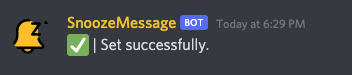
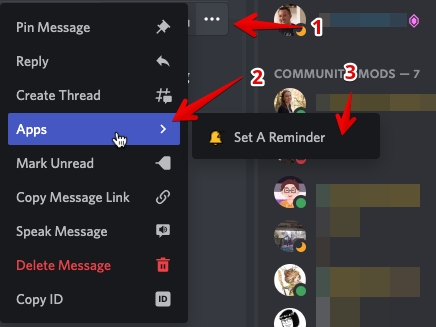
Option 2: Use the app menu
- Right-click a message, go to Apps, then Set A Reminder.
- Pick your time in the DM.
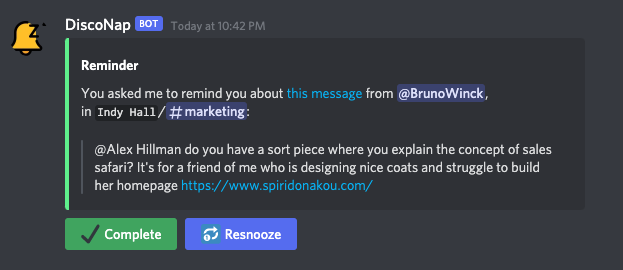
When it's time
DiscoNap DMs you the message with a link to jump right back to it. Click Complete when you're done, or Resnooze for later.
Help
Commands
/helplists every command./remindersshows your upcoming reminders./editchanges the time of a reminder./removedeletes a reminder./settingsupdates your time zone and default snooze times./setemoji(server admins) changes the snooze emoji for your server.
Installing
Use the invite link. You need Administrator or Manage Server permission. If you don't have it, ask a server admin.
Private channels or custom channel permissions? Add the DiscoNap role (created during install) to those channels. It needs View Channel, Read Message History, Manage Messages (to clear the snooze reaction) and Manage Emojis.
My reminder DMs look empty
You probably have embeds turned off. Go to User Settings → Chat and turn on Show embeds and preview website links pasted into chat.

Still stuck?
Ask in the DiscoNap support server.